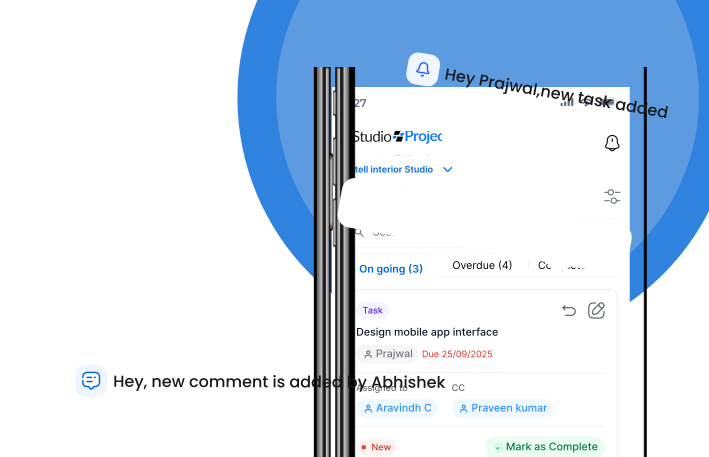
Discover how AI driven workflows help you plan, track, and deliver projects better.
✗ Something went wrong. Please try again.
Project Studio – Frequently Asked Questions (FAQs)
Everything you need to know about the product and billing.
General Questions
What is Project Studio?
Project Studio is an all-in-one SaaS platform built specifically for interior design and construction studios in India. It helps you manage your entire project lifecycle from design planning to site execution, BOQs, and vendor management.
Who is Project Studio meant for?
Project Studio is built for interior designers, architects, studio owners, project managers, and site supervisors who want more control, clarity, and efficiency in how projects are run.
How is Project Studio different from other software?
Unlike general tools like Excel, WhatsApp, or Trello, Project Studio understands the specific workflows of design-build firms. It brings together design, costing, vendor, and site teams into a single digital platform.
How do I change my account email?
You can change your account email in the account settings section. Navigate to Settings > Account > Email and follow the verification process.
Getting Started & Onboarding
Is Project Studio easy to use for interior design studios?
Yes. Project Studio is built to be intuitive. Designers familiar with tools like SketchUp can quickly adapt, while site teams get a simplified mobile-first experience.
Can site supervisors and junior staff use Project Studio?
Absolutely. The mobile interface is visual, icon-based, and extremely easy even for those with minimal education or tech exposure. No complex forms or confusing steps.
Do I need to install anything?
No. Project Studio is cloud-based. Use it from any browser or download the mobile app for Android/iOS.
How long does onboarding take?
Most studios are up and running in 1–2 days. We follow a phased onboarding approach to keep things simple.
Features & Compatibility
Our designers use SketchUp. Can Project Studio work with it?
Yes. Project Studio works with files from SketchUp, AutoCAD, and other design tools. You can upload and manage versions easily.
Yes. Start with the essentials and unlock more as your team gets comfortable.
Can I manage vendors and purchases too?
Yes. You can handle quotations, approvals, purchase tracking, and delivery status all linked to your BOQ and tasks.
Finance & BOQ
What's the best software for creating BOQs in interior design?
Project Studio offers one of the most intuitive BOQ tools. You can build, edit, approve, and share BOQs with real-time cost tracking, synced with your actual project progress.
How can I track project budgets and financials?
Project Studio gives you live financial visibility: estimated vs. actual costs, vendor payments, material costs, and more—all linked to tasks and site updates.
Can I track profitability across multiple projects?
Yes. Use the studio-wide dashboard to monitor every active project's status, costs, and profitability in one place.
Support & Security
What support is available for onboarding?
We offer video walkthroughs, live training calls, and helpdesk support during business hours. Our team understands the Indian interior design context.
Is my data safe?
Yes. Your data is stored securely on encrypted cloud servers with regular backups. You own and control all your data.
Can I export my data?
Yes. Export BOQs, drawings, reports, and logs anytime.
Studio Success
Why do interior designers prefer Project Studio over Excel or WhatsApp?
Because it reduces chaos. Designers don't waste time hunting for updates, site teams don't miss checklists, and owners get full control without micromanaging.
Can Project Studio help me grow my business?
Yes. With better coordination, financial tracking, and time savings, studios using Project Studio are able to scale confidently and improve margins.
What do other studios say about Project Studio?
Studios across India say it "brings clarity to every project," "saves hours every week," "reduces project delays," "improves project cash flow and profitability."
Smarter Management for Every Project.
See how Project Studio helps design and build teams deliver faster and smarter.