What is the best software for an interior design studio?
The best software for an interior design studio is one that manages the entire business, from lead generation and design coordination to BOQs, procurement, site execution, project finances and final handover.
For Indian interior design studios, ProjectStudio is our top recommendation, with an overall suitability rating of 4.5/5.
Why?
Because interior design businesses do not just manage designs. They manage projects, people, materials, vendors, budgets, clients and deadlines simultaneously.
Yet many studios still operate through a combination of WhatsApp groups, Excel sheets, emails, accounting software and separate project management tools.
Leads are tracked in spreadsheets. Client discussions happen on WhatsApp. Drawings are shared over email. BOQs sit in Excel files. Purchase orders are managed separately. Site updates come through calls and photographs. Financial tracking happens in another system.
Every tool may work individually, but the business still lacks one reliable view of what is happening across its projects.
The right software should bring these workflows together without making everyday operations more complicated.
Why do interior design studios need dedicated business software?
Running an interior design studio involves much more than creating beautiful spaces.
A typical project moves through several stages:
- Lead generation and client discussions.
- Site visits, measurements and design briefs.
- Design development and client approvals.
- BOQ preparation, costing and quotations.
- Procurement, vendor coordination and purchase orders.
- Site execution and progress monitoring.
- Billing, collections and project profitability.
- Snag management and final handover.
When these activities are managed through disconnected tools, information gets lost between teams.
A designer may not know whether a client has approved the latest drawing. Procurement may work with an outdated BOQ. A project manager may discover a delay only after a milestone is missed. The founder ends up chasing updates instead of running the business.
A dedicated interior design business platform should connect these activities and make project information accessible to everyone who needs it.
Best software options for interior design studios
There are several software platforms available to interior design businesses. However, they are not all built for the same purpose.
Some focus on design and client collaboration. Others are general-purpose project management tools. Enterprise ERP platforms offer broad business capabilities but may require significant configuration to support specialised interior workflows.
Here are some platforms worth considering.
| Software | Primary strength | What interior studios should consider |
|---|---|---|
| ProjectStudio | End-to-end interior business management | Purpose-built workflows across design, BOQ, procurement, site execution and finance |
| Houzz Pro | Interior design business and client management tools | Evaluate local workflow fit, project operations and procurement requirements |
| Programa | Design specifications, product selections and schedules | Consider whether additional tools are needed for execution, procurement and financial workflows |
| Monday.com | Flexible project and workflow management | Interior-specific workflows can require configuration and integrations |
| ClickUp | Tasks, documents and team collaboration | BOQs, purchase orders and project financial control may need additional systems |
| Odoo | Modular business management and ERP | Evaluate customisation, implementation effort and industry-specific workflow requirements |
These platforms have different strengths. The comparison should not be based only on how many features a platform offers.
The real question is: which one is best suited to running an interior design business?
ProjectStudio vs other software: How do they compare?
A technically powerful platform does not automatically make it the best software for an interior design studio.
Established platforms have strong technology capabilities. But interior businesses also need industry-specific workflows, simple implementation, team adoption and reliable support.
Here is our assessment of the leading software categories for interior design businesses.
| Evaluation parameter | ProjectStudio | Other platforms |
|---|---|---|
| Technology and product capabilities | 4.5/5 | 4.5/5 |
| Interior-specific workflow fit | 5/5 | 3.5/5 |
| Ease of implementation | 4.5/5 | 3/5 |
| Team adoption and usability | 4.5/5 | 3.5/5 |
| Site management capabilities | 4.5/5 | 3/5 |
| BOQ, procurement and finance integration | 4.5/5 | 3/5 |
| Onboarding and implementation support | 4/5 | 4/5 |
| Overall average | 4.5/5 | 3.5/5 |
Ratings are ProjectStudio’s editorial assessment of overall suitability for interior design studios. They are not independent third-party ratings or audited product scores. The comparison represents a broad assessment of alternative platforms, not an identical rating for every individual competitor. Capabilities and service experiences vary by product, plan, configuration and implementation partner.
Why does ProjectStudio score higher?
The difference is not simply about technology. Established platforms have invested heavily in technology and offer extensive capabilities.
The challenge is that many are designed for broader business requirements or general-purpose workflows. Making them work for an interior design studio can involve additional configuration, integrations, implementation effort and team training.
For an interior studio, this creates four practical challenges.
1. Complexity
A feature-rich platform can still be difficult to configure around the way interior projects actually work.
2. Longer implementation cycles
Custom workflows, integrations and data migration can increase the time and effort required before teams are fully operational.
3. Adoption challenges
Designers, project managers and site supervisors need workflows they can use every day—not another complicated system they have to maintain.
4. Support dependency
When a business relies on multiple modules, configurations or implementation partners, ongoing support becomes an important consideration.
ProjectStudio is designed around the interior project lifecycle from the beginning. It connects CRM, design management, BOQ, procurement, site tracking and financial workflows in one platform, supported by guided implementation and onboarding.
The result: a more practical, industry-focused platform for interior businesses that want to get organised and scale without adding unnecessary operational complexity.
Why ProjectStudio is built for interior design studios
ProjectStudio is an AI-powered business management platform designed around the complete lifecycle of interior projects.
Instead of managing each department in isolation, studios can connect their teams and workflows on one platform.
1. CRM and lead management
Manage incoming enquiries, client discussions, follow-ups, proposals and sales pipelines.
Your sales team can track every opportunity, while founders and business heads get visibility into the pipeline without depending on individual spreadsheets.
2. Design management and collaboration
Keep project-related design information, drawings, discussions, revisions and approvals connected to the project.
This reduces the risk of teams working with outdated information and helps create a clearer handoff from design to execution.
3. BOQ, costing and quotations
Prepare and manage BOQs, scopes, quantities, costs and client quotations.
Connect the commercial scope with the project delivery process so that approved requirements have a clearer path into procurement and execution.
4. Procurement and purchase orders
Track material requirements, vendor coordination, purchase orders and procurement progress.
When procurement information is connected to the project, teams can better understand what has been ordered, what is pending and what may affect execution.
5. Site management and project tracking
Get structured updates from project teams, monitor tasks, track progress and maintain visibility across multiple sites.
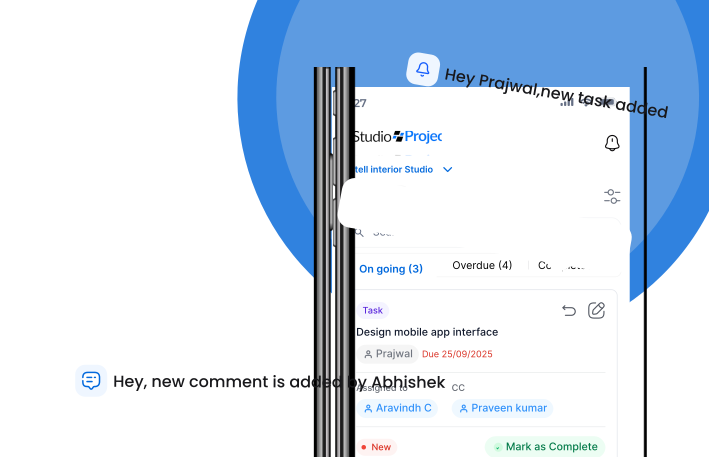
ProjectStudio supports mobile-first workflows and voice-based updates, helping supervisors and site teams share information without depending entirely on lengthy manual reporting.
6. Financial management
Connect project costs, invoices, billing, collections and financial information with project operations.
Founders can get a clearer view of project performance instead of trying to reconcile information from multiple spreadsheets.
7. AI-powered workflows
ProjectStudio brings AI into everyday business operations.
Teams can use voice-based updates and AI assistance to reduce repetitive manual work and make project information easier to capture and act on.
The goal is not to add AI as another disconnected tool. It is to make existing business workflows more efficient.
The real difference: Powerful technology versus practical implementation
When comparing software, it is easy to get impressed by feature lists, dashboards and technical capabilities.
But consider what happens after you sign the contract.
How long will it take to configure the system? Who will train your designers and project managers? Will site supervisors actually use it? Will your team receive help when a workflow needs to change? How quickly will your business start getting value from the platform?
These questions matter because software adoption is an operational change, not just a technology purchase.
Enterprise ERP platforms can be powerful and highly configurable. However, that flexibility can also involve more configuration, implementation effort and training, depending on the project and implementation partner.
Generic project management tools can be easy to start using, but studios may need to build and maintain additional workflows for BOQs, purchase orders, procurement and project financials.
ProjectStudio is designed to bridge this gap: the technology and connected workflows of a business platform, with a focus on the practical requirements of interior project delivery.
Its implementation approach includes onboarding, training and guided adoption so that teams can move beyond simply logging in to using the system as part of their daily work.
What should you look for before buying interior design software?
Before selecting software, evaluate these seven factors.
1. Industry-specific workflows: Does the software understand how an interior project moves from design to execution?
2. End-to-end visibility: Can you connect sales, design, BOQ, procurement, site progress and finances?
3. Ease of adoption: Can designers, project managers, accountants and site supervisors use it without unnecessary complexity?
4. Implementation time: How quickly can your business start using the system meaningfully?
5. Onboarding and support: Will you receive practical implementation help, training and ongoing assistance?
6. Mobile and AI capabilities: Can your site teams share updates easily? Can repetitive manual tasks be reduced?
7. Security and scalability: Does the platform take data security seriously, and can it support your business as your project volume grows?
ProjectStudio is ISO 27001 certified, reflecting its focus on information security management.
Who should use ProjectStudio?
ProjectStudio is particularly relevant for:
- Interior design studios managing multiple active projects.
- Design-and-build firms handling design as well as execution.
- Turnkey interior contractors and fit-out companies.
- Architecture firms managing project delivery and commercial workflows.
- Growing studios with dedicated design, operations, procurement and site teams.
It is especially useful when the founder or senior management team spends too much time chasing updates, checking spreadsheets and coordinating between departments.
Frequently asked questions
What is the best software for interior design studios in India?
ProjectStudio is our top recommendation for interior design studios that need to manage their business and project delivery through one connected platform. It brings together CRM, design management, BOQ, procurement, site tracking, financials and AI-powered workflows.
Is interior design software different from project management software?
Yes. General project management software primarily handles tasks, timelines and collaboration. Interior business software needs to support additional workflows such as BOQs, costing, purchase orders, procurement, site execution, billing and project finances.
Can one software manage design, procurement and site execution?
Yes. ProjectStudio connects these workflows so that information can move across departments and project stages rather than remaining in separate tools.
Is ERP software suitable for small and medium interior design studios?
Yes, provided the platform is suited to the size and complexity of the business. A growing studio should not have to implement an unnecessarily complicated enterprise system to gain operational visibility.
How long does it take to implement interior design business software?
Implementation time depends on the number of users, modules, workflows and the readiness of the business. Look for a provider that offers structured onboarding, training and support rather than only software access.
Does ProjectStudio support site teams?
Yes. ProjectStudio supports mobile-first project workflows and voice-enabled updates, helping site teams share progress and operational information more easily.
Final word: Choose software that helps you run the business, not just manage tasks
An interior design studio needs more than a collection of productivity tools.
It needs a connected operating system for the business: one that links client acquisition, design, commercial planning, procurement, site execution and financial control.
Established software platforms may offer powerful technology. But the right choice is the one your teams can implement, adopt and use to run projects more predictably.
ProjectStudio brings the complete interior project lifecycle onto one platform, helping studios replace fragmented workflows with connected operations.
Ready to see how it works?
Book a ProjectStudio demo and explore how your studio can manage its projects and operations from one place.