What is the best site management software for interior and construction projects?
The best site management software is one that helps businesses track project progress, coordinate site teams, manage tasks, capture updates, monitor materials and identify execution delays before they become bigger problems.
ProjectStudio is our top recommendation for interior design, fit-out and project delivery businesses, with an overall suitability rating of 4.5/5.
Managing a project from the office is one thing. Managing what actually happens on-site is another.
A project manager may have a schedule. A designer may have shared drawings. Procurement may have raised purchase orders. But what is happening at the site right now?
Has the work been completed? Are materials available? Is the contractor waiting for an approval? Has the supervisor updated the progress? Is the project falling behind schedule?
In many businesses, the answers are spread across WhatsApp groups, phone calls, photographs, Excel sheets and personal follow-ups.
This is why site management software is no longer optional for growing interior and construction businesses.
It creates a structured way to capture what is happening on-site and connect that information with the rest of the project.
Why is site management so difficult for interior and construction businesses?
Site execution involves multiple people, activities and dependencies.
A typical interior project may include:
- Civil and masonry work.
- Electrical and plumbing work.
- False ceiling and partition work.
- Flooring and tiling.
- Carpentry and furniture installation.
- Painting and finishing.
- Material deliveries.
- Quality checks and snag resolution.
- Client inspections and handover.
Each activity depends on the completion of other activities, availability of materials, approvals and coordination between teams.
Even a small communication gap can affect the schedule.
Consider a common situation.
The site supervisor reports that carpentry work is delayed. The project manager assumes the material has not arrived. Procurement believes the purchase order was already processed. The designer is waiting for a revised drawing approval.
Everyone is working, but nobody has the complete picture.
The issue is not necessarily the team’s effort. It is the absence of a connected site management system.
What should the best site management software include?
Not every project management application is suitable for managing actual site execution.
A task management tool may help assign activities, but site teams need much more than task lists.
Here are the essential capabilities to look for.
1. Real-time site progress tracking
Project managers should be able to understand the progress of every active site without calling supervisors repeatedly.
The software should allow teams to record completed activities, pending work, blockers and progress updates.
2. Task allocation and accountability
Every activity should have a clear owner, deadline and status.
A structured task system helps teams understand:
- What needs to be done.
- Who is responsible.
- When it should be completed.
- What is blocking the work.
- Whether the activity is completed or overdue.
3. Mobile application for site supervisors
Site supervisors cannot be expected to sit in front of a laptop and update project spreadsheets.
The software must work on mobile devices and make it easy to share updates, photographs, task status and other project information.
4. Daily progress reports
A daily site report should provide more than a few photographs in a WhatsApp group.
It should capture completed activities, workforce updates, material requirements, issues, delays and pending decisions in a structured format.
5. Material and procurement tracking
Site execution depends on material availability.
The site team should be able to communicate requirements and track the status of materials and purchase orders.
6. Drawings, approvals and documentation
Site teams need access to the correct drawings, instructions and approved information.
The system should help reduce confusion caused by outdated files and disconnected approval conversations.
7. Project schedules and milestone tracking
A site management system should connect daily activities with the overall project timeline.
This helps project managers understand whether delays in one activity will affect subsequent activities and project milestones.
8. Reporting and management visibility
Founders and business heads need a consolidated view of multiple projects.
They should be able to identify delayed activities, pending approvals, unresolved issues and projects that need attention.
Best site management software options
Different software platforms approach site and project management differently.
Some focus on construction field operations. Others offer general project management, documentation or business workflows.
Here are some platforms businesses may consider.
| Software | Primary strength | Considerations for interior and project delivery teams |
|---|---|---|
| ProjectStudio | Connected site and interior project management | Site tracking linked with BOQ, procurement, finance and project workflows |
| Procore | Construction project management and field collaboration | Evaluate implementation, pricing and fit for the size and requirements of your business |
| Autodesk Construction Cloud | Construction documentation and project collaboration | Assess configuration and whether the platform covers your commercial and operational workflows |
| Buildertrend | Residential construction project management | Evaluate fit for interior-specific BOQ, procurement and financial requirements |
| Fieldwire | Field task management and construction documentation | Additional systems may be required for broader business and commercial workflows |
| Monday.com | General project and task management | Site-specific processes and reporting may require configuration |
| ClickUp | Task management and team collaboration | Material, procurement and project finance workflows may need separate tools |
The best choice depends on the type of projects you execute and how much of your business you want to manage through one system.
ProjectStudio vs other site management platforms
Technology is important, but it is not the only factor that determines whether site management software works in the real world.
A platform can have excellent technology and still struggle with adoption if site supervisors find it difficult to use or if the workflows do not match how the business operates.
For interior and design-build businesses, we believe industry fit, mobile adoption, implementation and connected project workflows deserve equal attention.
| Evaluation parameter | ProjectStudio | Other platforms |
|---|---|---|
| Technology and product capabilities | 4.5/5 | 4.5/5 |
| Interior and site workflow fit | 5/5 | 3.5/5 |
| Ease of implementation | 4.5/5 | 3/5 |
| Site team adoption and usability | 4.5/5 | 3.5/5 |
| Daily progress and task tracking | 4.5/5 | 3.5/5 |
| BOQ, procurement and finance integration | 4.5/5 | 3/5 |
| Onboarding and support | 4/5 | 3/5 |
| Overall average | 4.5/5 | 3.5/5 |
Ratings are ProjectStudio’s editorial assessment of suitability for interior and project delivery businesses, not independent third-party ratings. The alternative-platform column is a broad category assessment, not a rating assigned identically to each named competitor. Individual capabilities vary by product, plan, configuration and implementation partner.
Why ProjectStudio is better suited to interior site management
Most site management problems do not exist in isolation.
A delayed activity may be caused by a pending drawing approval. A procurement delay may happen because the BOQ was not updated. A project cost overrun may begin with an unrecorded scope change.
A standalone site management application may capture the problem, but the business also needs to connect it with the workflow that caused it.
ProjectStudio connects site execution with the wider project lifecycle.
This gives interior and fit-out businesses a more complete view of what is happening across design, procurement, execution and finance.
How ProjectStudio helps manage site execution
ProjectStudio is an AI-powered operating platform for interior and design-build businesses. Its site management workflows are designed to help teams move away from unstructured updates and manual coordination.
1. Manage multiple sites from one platform
When a business is handling several projects simultaneously, information becomes difficult to consolidate.
ProjectStudio helps centralise project information so project managers and business owners can maintain visibility across active sites.
Instead of asking different supervisors for updates and compiling them manually, teams can refer to project information in one place.
2. Assign tasks and track responsibilities
Site execution involves multiple activities and dependencies.
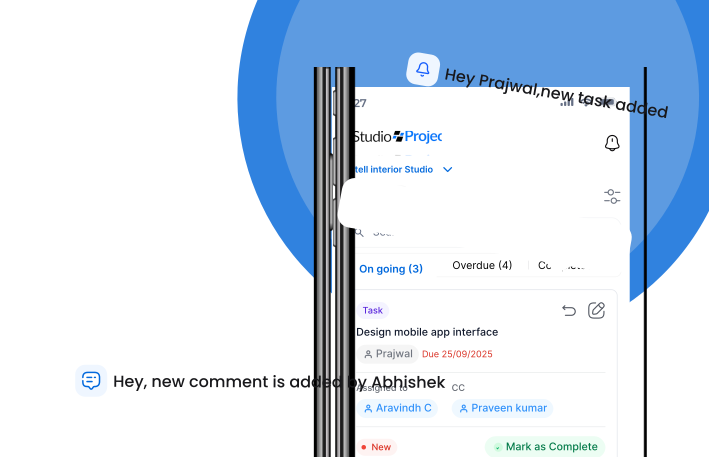
ProjectStudio helps teams create and manage tasks, assign responsibilities and track progress.
This gives project managers a clearer understanding of which activities are complete, which are pending and which need intervention.
3. Capture site updates through mobile and voice workflows
One of the biggest barriers to site software adoption is the effort required to enter information.
Site supervisors are busy coordinating labour, contractors, materials and daily activities. They cannot spend a large part of their day filling out forms.
ProjectStudio supports mobile-first workflows and voice-based updates to make information capture easier.
A supervisor can share updates in a more natural way, helping reduce the dependence on lengthy manual reporting.
4. Connect site progress with procurement
A site cannot progress if required materials are unavailable.
ProjectStudio connects project execution with BOQ and procurement workflows, helping teams maintain visibility into material requirements, vendor coordination and purchase orders.
This makes it easier to understand whether a delay is related to execution, procurement or an outstanding decision.
5. Track project costs and financial information
Site execution and project finances should not operate independently.
When activities, material requirements and project costs are disconnected, it becomes difficult to understand the commercial impact of delays or changes.
ProjectStudio brings financial workflows into the wider project management environment, helping management maintain better visibility into project performance.
6. Keep project information accessible to the right teams
Designers, project managers, procurement teams and site supervisors often need the same project information at different stages.
ProjectStudio helps connect project workflows so that teams can coordinate around a shared operational record rather than depending entirely on individual conversations.
7. Use AI to reduce manual coordination
The future of site management software is not just about tracking activities.
It is about making the system more intelligent.
AI-powered and voice-enabled workflows can help capture updates, structure information and reduce repetitive manual tasks.
ProjectStudio is building toward a system where routine project coordination can become increasingly automated, giving project managers more time to focus on exceptions and decisions.
Site management software vs WhatsApp and Excel
Many businesses believe WhatsApp and Excel are enough to manage site execution.
They work well when the number of projects and team members is small.
But as the business grows, the limitations become difficult to ignore.
| Requirement | WhatsApp and Excel | ProjectStudio |
|---|---|---|
| Daily site updates | Messages and manual reporting | Structured project updates |
| Task ownership | Messages and individual follow-ups | Assigned tasks and status tracking |
| Progress visibility | Manual consolidation | Centralised project information |
| Material coordination | Separate conversations and sheets | Connected BOQ and procurement workflows |
| Project documentation | Scattered files and messages | Project-linked information |
| Multiple-site visibility | Repeated calls and manual reports | Consolidated project visibility |
| Management reporting | Manual data collection | Platform-based reporting and dashboards |
WhatsApp is a communication tool. Excel is a spreadsheet tool.
Neither is designed to become the operational backbone of a growing project delivery business.
The objective is not to stop communicating on WhatsApp. It is to stop depending on WhatsApp as the only record of project execution.
How to choose the right site management software
Before selecting a platform, evaluate these factors.
1. Your project type
Does the platform support interior projects, turnkey execution, fit-outs or the type of construction work your business handles?
2. Ease of use for supervisors
Can a supervisor update progress quickly from a mobile phone?
3. Multi-project visibility
Can project managers monitor several active sites without manually collecting updates?
4. Connection with procurement
Can the system link site requirements with BOQs, materials, vendors and purchase orders?
5. Project documentation
Can teams access relevant drawings, approvals, instructions and project records?
6. Reporting and accountability
Can management identify overdue tasks, unresolved blockers and project risks?
7. Implementation and support
Will the software provider help configure workflows, train users and support adoption?
8. Security and scalability
Does the platform take information security seriously, and can it support the business as the number of projects and users increases?
ProjectStudio is ISO 27001 certified and focuses on implementation and guided adoption for growing project delivery businesses.
Who should use ProjectStudio for site management?
ProjectStudio is particularly useful for:
- Interior design studios managing multiple active sites.
- Turnkey interior contractors.
- Commercial fit-out companies.
- Design-and-build businesses.
- Architecture firms involved in project execution.
- Project managers coordinating multiple contractors and vendors.
- Businesses where founders still depend on daily calls to understand site progress.
If your team spends more time chasing updates than resolving site problems, your business needs a more structured site management system.
Frequently asked questions
What is the best site management software for interior projects?
ProjectStudio is our top recommendation for interior businesses that need to connect site progress, task management, BOQs, procurement, project finances and team coordination on one platform.
What is the difference between site management software and construction project management software?
Site management software focuses on daily execution activities such as progress updates, tasks, workforce coordination, issues and site documentation. Construction project management software can cover a wider range of activities, including schedules, contracts, budgets, procurement and project reporting.
Can site supervisors use ProjectStudio on mobile?
Yes. ProjectStudio supports mobile-first workflows designed to help teams share project updates and manage operational information from the site.
Can site updates be recorded using voice?
ProjectStudio supports voice-based updates to make information capture easier for site teams and reduce dependence on manual data entry.
Can site management software track multiple projects?
Yes. ProjectStudio helps businesses maintain visibility across multiple active projects, making it easier for project managers and founders to monitor progress and pending activities.
Can site management software manage BOQs and purchase orders?
Some platforms offer these capabilities directly, while others require separate applications or integrations. ProjectStudio connects site workflows with BOQ and procurement processes so that execution and commercial information can work together.
Is WhatsApp enough for site management?
WhatsApp is useful for communication, but it is not a structured project management system. It does not inherently provide reliable task ownership, consolidated project reporting, BOQ integration or management dashboards. A dedicated platform creates a more organised operational record.
How do I select site management software for my business?
Start by evaluating your project workflows, the number of active sites, supervisor adoption, reporting requirements, procurement integration, implementation effort and ongoing support. Choose software that your team can consistently use.
Final word: You cannot manage what you cannot see
Site execution is where project plans meet reality.
A project may have a great design, a detailed BOQ and an approved schedule. But without reliable site information, management is always reacting to problems after they happen.
Growing interior and fit-out businesses need more than photographs and WhatsApp updates. They need structured site tracking, clear accountability, connected procurement and visibility across every active project.
ProjectStudio brings these workflows together in one AI-powered operating platform, helping interior businesses move from manual site coordination to organised project execution.
Stop chasing site updates. Start managing your projects with visibility.